Behavior Trees
AI Pals Engine uses the concept of Behavior Trees to introduce additional Pal functionality. The implementation strives to stick to common conventions, so you can ask AI to give you a general introduction. Further information will be provided here, including details on how to add your own custom behavior nodes. Alternatively, get in touch if you would like to start sooner.
Here are some concepts you need to know to begin giving your AI Pals a Behavior:
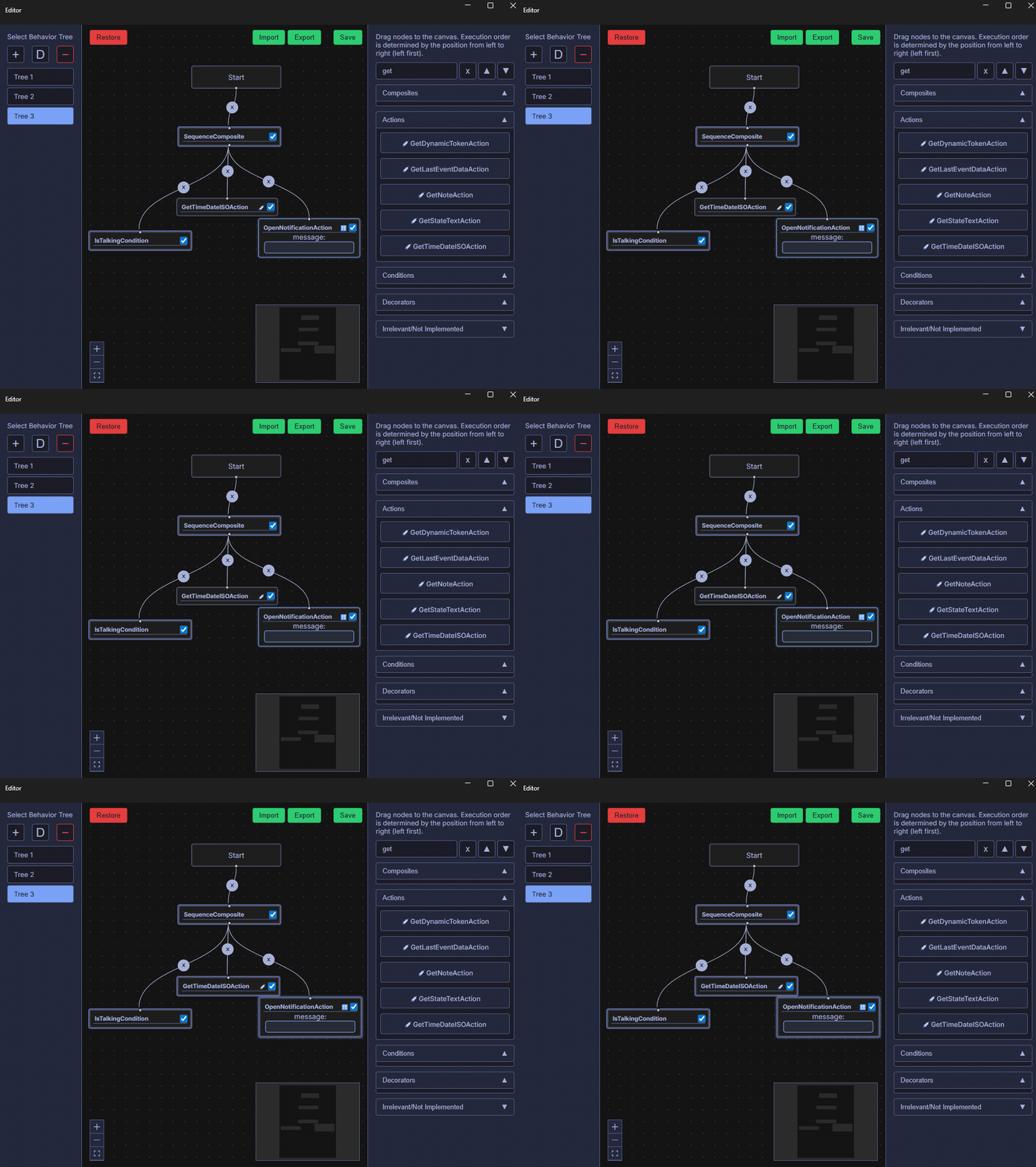
- There's a strict Node Flow - nodes execute from top to bottom, left to right (ensure you position your nodes in the editor accordingly).
- Behavior Trees have their own jargon. The Sequence node is similar to an "AND" in the coding world. In this example, the Sequence Composite will run first; since the flow proceeds from left to right, it will select the IsTalking Condition next. Nodes have different states, and since the Pal isn't talking, the condition will fail, thus failing the entire Sequence Composite. However, if the Pal is talking, the sequence will continue. The GetTimeISOAction will inject text into the Node Flow (which other nodes in the continued flow can pick up). The OpenNotification Action will then pick up this text and display it in the Widget (Note: if message IS specified in the node it won't pick up the node flow text, it will just display the message that was specified).
Node Types
- Composites are the directors of your Behavior Tree. They organize and control the execution of other nodes (both child Composites and Actions/Conditions/Decorators). They determine how the tree flows and what happens when a child succeeds or fails.
- Actions are the workhorses of your Behavior Tree. They perform specific tasks - things like moving a character, playing an animation, start a chat, ...
- Conditions evaluate a specific states. They check if a certain condition is true or false.
- Decorators modify the behavior of other nodes or the entire tree. They don’t perform actions; they decorate the behavior of their child nodes.
Special Nodes
- Node Flow Text Injection Nodes - Some Nodes are able to inject text into the Node Flow
e.g. GetLastEventDataAction can inject the text of an event. Like the last sentence that was generated (AI_SENTENCE_GENERATED event) or the emotion that was detected (AI_EMOTION_DETECTED event). - Node Flow Text Nodes - Some Nodes will be able to use the injected Node Flow Text
e.g. SetNoteAction can pick up the dynamic text in the Node Flow to display this text in the specified Note Panel
Node States (after execution):
- SUCCESS
- FAILURE
- RUNNING - The task should continue to execute
More Info: Devlog #2