Get Started
AI Pals Engine is your go-to sandbox for AI-powered companions that boost your personality, entertain nonstop and back you up with customizable Desktop Widgets and Tools — all offline and made to follow your lead.
Thank you for joining early! Early Access allows for tracking AI progress/standards while continuing to improve the UI, documentation, hardware utilization/support, and general features. Most importantly, if you encounter any bugs, or if something is missing or could enhance your experience, please share your feedback in the Community Hub or on Discord!
Using the Steam Edition
Start AI Pals Engine and complete the Wizard!
If you own the Steam Edition, you have free access to the Expert Edition Beta Version
Optional: Expert Edition of AI Pals Engine
- Go to this page. Password: aipe
- Read & Agree the EULA
- Use the
Alternative AuthenticationButton.
3a. If it fails, specify the AI Pals Engine Steam Directory manually by the button next toAlternative Authentication
3b. If it still fails, make sure that both apps are up to date and that you have successfully started and closed the Steam version at least once.
3c. If it still fails, contact support. - Follow the Get Started instructions on the Home Screen.
Use the Itch Client to ensure that the Expert Edition is kept up to date automatically
Using the Expert Edition (Itch.io)
- Read & Agree the EULA
- Authenticate via the Authenticate Button (One-Time Itch Authentication)
2a. Your browser should open to a authorize AI Pals Engine to check for ownership via OAuth. 2b. The app will either unlock or display an error message next to the button if you allow it. - Follow the Get Started instructions on the Home Screen.
🧭 Next Step
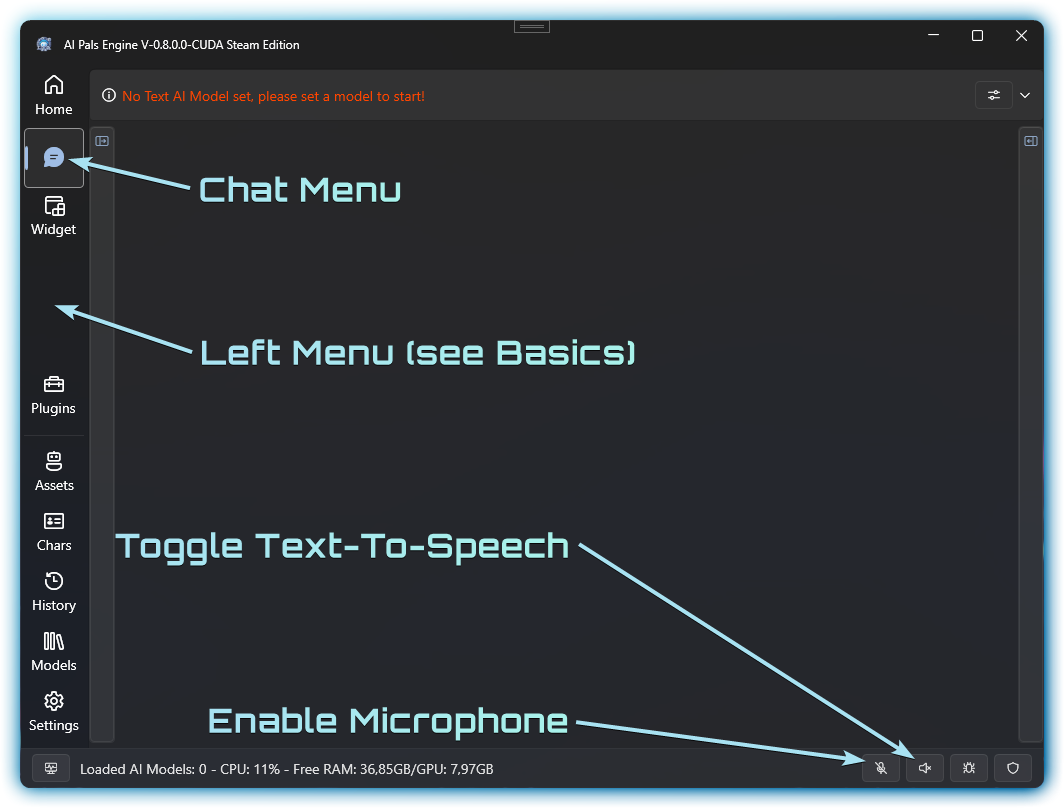
Once AI Pals Engine is up and running get familiar with the Chat Menu (Left Menu)
Interface Overview